Simple Calculator Code in JavaScript
Here is a simple calculator code in JavaScript that allows you to perform basic arithmetic operations:
Calculator Code in JavaScript HTML
First Steps: Create an Input form for the End User in HTML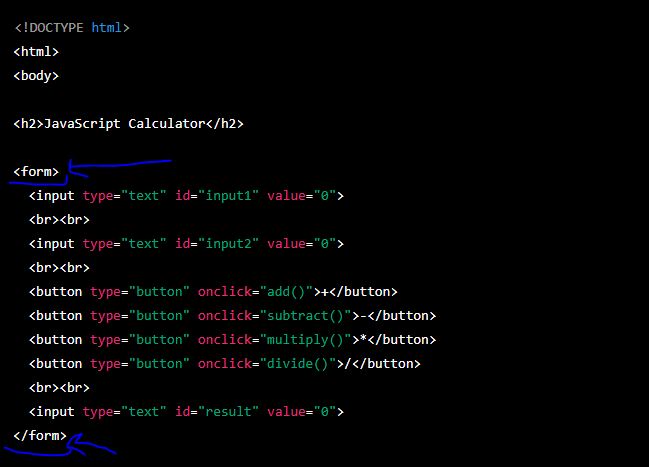
Image of Create an Input form for the End User in HTML

Image of Second Steps: Write Javascript script functionality for the Calculator
This code creates a simple calculator with four buttons for performing addition, subtraction, multiplication, and division. There are also two input fields for entering the numbers to be calculated and a third input field for displaying the result. When you click one of the buttons, the corresponding operation is performed and the result is displayed instantly.
Source Code Guide
Source code for First Step: HTML Input Form
<!DOCTYPE html> <html> <body> <h2>JavaScript Calculator</h2> <form> <input type="text" id="input1" value="0"> <br><br> <input type="text" id="input2" value="0"> <br><br> <button type="button" onclick="add()">+</button> <button type="button" onclick="subtract()">-</button> <button type="button" onclick="multiply()">*</button> <button type="button" onclick="divide()">/</button> <br><br> <input type="text" id="result" value="0"> </form>
Source code for Second Step: JavaScript Logic
<script> function add() { var num1 = document.getElementById("input1").value; var num2 = document.getElementById("input2").value; var result = parseInt(num1) + parseInt(num2); document.getElementById("result").value = result; } function subtract() { var num1 = document.getElementById("input1").value; var num2 = document.getElementById("input2").value; var result = parseInt(num1) - parseInt(num2); document.getElementById("result").value = result; } function multiply() { var num1 = document.getElementById("input1").value; var num2 = document.getElementById("input2").value; var result = parseInt(num1) * parseInt(num2); document.getElementById("result").value = result; } function divide() { var num1 = document.getElementById("input1").value; var num2 = document.getElementById("input2").value; var result = parseInt(num1) / parseInt(num2); document.getElementById("result").value = result; } </script>
Full Combined Source Code
<!DOCTYPE html> <html> <body> <h2>JavaScript Calculator</h2> <form> <input type="text" id="input1" value="0"> <br><br> <input type="text" id="input2" value="0"> <br><br> <button type="button" onclick="add()">+</button> <button type="button" onclick="subtract()">-</button> <button type="button" onclick="multiply()">*</button> <button type="button" onclick="divide()">/</button> <br><br> <input type="text" id="result" value="0"> </form> <script> function add() { var num1 = document.getElementById("input1").value; var num2 = document.getElementById("input2").value; var result = parseInt(num1) + parseInt(num2); document.getElementById("result").value = result; } // ... (Other functions include subtract, multiply, divide) </script> </body> </html>